

Introduction: Is tinyEmail Worth Using in 2026?
Email marketing remains one of the most practical ways for businesses to communicate directly with customers, build lasting relationships, and encourage repeat purchases.
However, managing newsletters, designing professional emails, organizing subscribers, and creating automated campaigns can become overwhelming, particularly for entrepreneurs and small business owners.
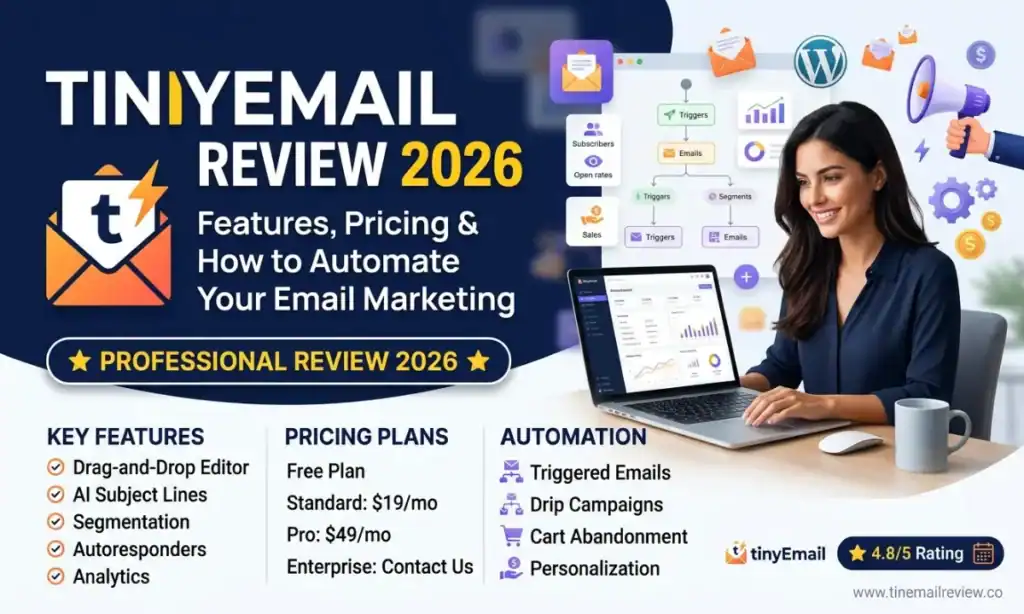
That’s where tinyEmail comes in.
tinyEmail is an email marketing platform designed to simplify campaign creation, subscriber management, marketing automation, and performance tracking.
Whether you’re running an online store, building a newsletter, managing a blog, or promoting digital products, tinyEmail provides tools to communicate with your audience more efficiently.
In this tinyEmail review, we’ll explore its features, pricing, benefits, limitations, and how to get started step by step.
Explore tinyEmail and Start Your Free Trial
What Is tinyEmail?
tinyEmail is an email marketing and automation platform that helps businesses create, send, and optimize email campaigns.
Instead of manually sending promotional messages, users can design branded emails, manage subscribers, and establish automated workflows.
The platform supports several types of email marketing activities:
- Newsletter campaigns and promotional emails
- Welcome email sequences
- Abandoned-cart reminders
- Post-purchase follow-ups
- Customer segmentation
- Email engagement and revenue analytics
It also integrates with ecommerce platforms and business applications, making it particularly relevant for Shopify merchants, online retailers, publishers, and growing businesses.
One notable difference is tinyEmail’s pricing model. Rather than charging primarily according to the number of contacts stored, its paid plans are based on email sending volume.
This can be useful for businesses with large audiences that do not require frequent campaigns.
7 Key tinyEmail Features You Should Know
1. Drag-and-Drop Email Builder
Creating professional emails should not require programming knowledge.
tinyEmail provides a drag-and-drop editor that allows users to customize email layouts, insert images, add buttons, and organize content.
Businesses can start with mobile-ready templates and adjust them to match their marketing objectives.
For example, an ecommerce business might create a product announcement highlighting new arrivals, while a blogger might design a weekly educational newsletter.
The editor makes it easier to create consistent email campaigns without hiring a developer.
2. Email Marketing Automation
Automation is one of tinyEmail’s most valuable capabilities.
Instead of manually following up with subscribers, businesses can create workflows that respond to specific actions.
Examples include:
- Sending welcome messages to new subscribers
- Following up after customer purchases
- Reminding shoppers about abandoned carts
- Reengaging customers who have not purchased recently
For an online store, an automated abandoned-cart message can remind customers about products they considered purchasing.
Automation reduces repetitive work and helps businesses communicate at relevant moments.
3. AI-Powered Email Marketing Tools
tinyEmail includes AI-assisted features designed to improve parts of the email marketing process.
Its AI Traffic Control technology helps manage sending volume and warmup to protect sender reputation.
Automated A/B testing enables businesses to compare different subject lines or email content and use the better-performing version.
AI Summary helps interpret campaign performance data and identify potential improvements.
Enterprise customers can also access additional AI integrations through the tinyEmail MCP Server.
These tools can support better decisions, although no platform can guarantee inbox placement, engagement, or sales.
4. Professional Email Templates and Brand Kit
Consistent branding makes marketing communications easier to recognize.
tinyEmail offers email templates for different campaign objectives, along with a Brand Kit feature.
Brand Kit helps apply company colors, logos, and fonts to email designs.
This is especially useful for smaller teams that want professional-looking newsletters without rebuilding each layout from scratch.
5. Audience Segmentation
Sending identical messages to every subscriber may reduce relevance.
tinyEmail allows businesses to organize audiences into segments according to available customer information and behavior.
For example, an online retailer could create separate groups for:
- First-time customers
- Returning buyers
- Loyal customers
- Subscribers who have not purchased
Targeted campaigns allow marketers to create messages that better match each audience’s interests.
6. Shopify and Business Integrations
tinyEmail connects with several popular ecommerce and marketing services.
Supported integrations include Shopify, WooCommerce, BigCommerce, HubSpot, Salesforce, Zoho CRM, Google Analytics, and Zapier.
The Shopify integration allows merchants to synchronize customer, product, and order information for email campaigns and automated workflows.
Businesses using WordPress or other website platforms can also explore form integrations and supported connections.
Before choosing any email marketing software, confirm that it supports your existing website, ecommerce platform, and customer management tools.
7. Email Analytics and Reporting
Successful email marketing requires more than attractive designs.
You need to understand whether subscribers are responding to your campaigns.
tinyEmail provides campaign reporting that can include opens, clicks, and revenue-related information where tracking is configured.
These insights can help businesses identify effective subject lines, improve content, and evaluate campaign performance.
Remember that open rates can be affected by email privacy features, so consider clicks, conversions, and revenue alongside opens.
How to Use tinyEmail: Step-by-Step Beginner’s Guide
Step 1: Create Your tinyEmail Account
Visit tinyEmail through the link below.
Choose the appropriate registration option and enter your business information.
Shopify merchants can install the free tinyEmail Shopify app, while other users can explore the available free trial.
Step 2: Set Up Your Brand Kit
After entering your dashboard, configure your business branding.
Upload your logo, choose your brand colors, and review the fonts and website details.
A consistent visual identity helps subscribers recognize your emails.
Step 3: Import or Connect Your Subscribers
Navigate to the audience management or integrations area.
You can connect a supported platform or import eligible subscriber contacts.
Make sure subscribers have provided any consent required by applicable marketing and privacy laws.
Avoid purchasing email lists or sending unsolicited promotional messages.
Step 4: Verify Your Sending Domain
Configure your sender identity using your business email domain.
tinyEmail provides guidance for email authentication, including SPF, DKIM, and DMARC settings.
Correct authentication supports trustworthy sending practices and helps reduce avoidable deliverability problems.
Step 5: Create Your First Email Campaign
Open the Campaigns section and select the option to create an email campaign.
Add a campaign name, subject line, preview text, and sender information.
Choose a suitable template or create your own layout.
Use a clear headline, helpful content, and an obvious call to action.
For example:
Subject: 5 Simple Ways to Improve Your Small Business Marketing
CTA: Read the Complete Guide
Step 6: Test and Schedule Your Email
Before sending, preview your email on mobile and desktop.
Check every link, proofread the content, and send a test email.
Select the correct audience and choose whether to send immediately or schedule the campaign.
Step 7: Review Results and Improve
Once the campaign has been delivered, review your analytics.
Evaluate which links receive clicks, which messages generate conversions, and which audience segments respond best.
Use these findings to improve future campaigns.
tinyEmail Pricing in 2026
tinyEmail uses different pricing arrangements depending on the type of customer.
Free Shopify plan: According to tinyEmail’s official website, eligible Shopify stores can use the app for free, with unlimited contacts and up to 1,000,000 emails per month.
Non-Shopify customers: tinyEmail currently advertises a seven-day free trial without a credit card. Paid sending plans start at approximately $65 per month for 15,000 emails.
The platform also advertises a 20% discount for annual billing.
Additional services, such as Identity Resolution and List Cleaning, may involve separate charges.
Prices and plan conditions can change, so check the latest details before subscribing.
View tinyEmail Plans and Features
tinyEmail Pros and Cons
Advantages
Beginner-friendly design: Templates and visual editing tools reduce the technical work involved in creating campaigns.
Useful automation: Welcome emails and ecommerce follow-ups can run without repeated manual sending.
Flexible contact management: The paid sending-volume model may appeal to businesses maintaining larger contact databases.
Shopify integration: Store owners can build campaigns around their products, customers, and orders.
Deliverability tools: Authentication guidance, list-cleaning options, and AI Traffic Control provide tools for maintaining healthier email operations.
Potential Disadvantages
Pricing for non-Shopify beginners: The starting paid price may be relatively expensive for a new blogger or very small business.
Email-focused platform: Businesses requiring comprehensive SMS or multichannel automation should compare other solutions.
Advanced functionality: Certain integrations and AI capabilities are restricted to specific plans.
Learning curve: Users still need to understand segmentation, authentication, automation, and campaign strategy to achieve good results.
Who Should Use tinyEmail?
tinyEmail may be particularly suitable for four types of users.
Shopify store owners: Merchants interested in automated cart reminders, customer follow-ups, and promotional campaigns.
Small business owners: Businesses looking to send branded newsletters and maintain relationships with customers.
Bloggers and content creators: Publishers who want to build subscriber communities and distribute useful articles.
Digital marketers: Professionals managing campaigns, audiences, and email performance for businesses or clients.
However, businesses with very small budgets should calculate their expected email sending volume before selecting a paid plan.
Best Email Marketing Strategy for Beginners
Choosing software is only the beginning. The content and relevance of your messages determine whether subscribers find them valuable.
Start by offering a useful reason to join your email list, such as a free checklist, practical tutorial, or exclusive educational resource.
Next, create a short welcome sequence:
Email 1 — Welcome: Introduce your business and deliver the promised resource.
Email 2 — Education: Share a helpful tutorial addressing a common subscriber problem.
Email 3 — Resources: Recommend relevant tools or explain possible solutions.
Email 4 — Next Step: Invite readers to explore a guide, product, or service that fits their needs.
Avoid making every email a sales pitch. Focus on building trust before asking subscribers to purchase.
Finally, review performance regularly and refine your campaigns based on clicks, conversions, feedback, and unsubscribes.
Frequently Asked Questions
Is tinyEmail suitable for beginners?
Yes. Its visual email builder, templates, and onboarding guidance make it accessible to new users. However, beginners should still learn basic email marketing practices.
Is tinyEmail free?
tinyEmail currently offers a free plan for eligible Shopify stores. Non-Shopify businesses can use a seven-day trial before choosing a paid plan.
Can tinyEmail automate email campaigns?
Yes. It offers workflows for activities including welcome sequences, abandoned-cart reminders, and post-purchase communications.
Does tinyEmail integrate with WordPress?
tinyEmail lists WordPress-related form connections and supports several integration methods. Check compatibility with your specific WordPress forms and plugins.
Can tinyEmail guarantee more sales?
No. Sales depend on factors such as audience quality, offers, messaging, and campaign execution. Automation can help with consistency, but results vary.
Final Verdict: Is tinyEmail Worth Trying?
tinyEmail is a practical option for businesses looking for email campaign creation, automation, audience management, and integrated performance tracking in one platform.
Its Shopify offering is especially interesting for ecommerce merchants, while its sending-volume pricing may suit publishers with large lists and less frequent campaigns.
For non-Shopify businesses, comparing the cost with expected sending needs is important.
The best approach is to test the interface, build a sample campaign, evaluate the integrations, and decide whether the features justify the subscription.
Ready to explore smarter email marketing?
Try tinyEmail and Explore Its Email Marketing Tools
Build more relevant campaigns, automate routine communications, and develop a more consistent relationship with your audience.

Muse runs BikoMarketing, a publication focused on helping small
business owners and solo founders choose the right marketing tools,
build their tech stack, and grow without overspending on software
they don’t need.
Coverage includes email marketing platforms, marketing automation,
SaaS reviews, and tech recommendations — written for people who
want real answers, not marketing fluff.
📩 contact@bikomarketing24@gmail.com